Visionify PPE Desktop
AI-powered PPE and safety compliance monitoring that plugs into your existing CCTV and gets operators productive fast.
Deploy in minutes
Use your existing CCTV, avoid extra hardware, and keep operators in a guided workflow.
01
Use existing cameras
Connect via network scan, RTSP, NVR, or YouTube Live feeds.
02
No extra hardware
Avoid new device procurement, wiring changes, and maintenance overhead.
03
Easy integration
Fast onboarding and a clean UI that reduces training time for operators.
From setup to reporting
Setup
Fast camera onboarding
Discover devices by network scan, RTSP, NVR, or YouTube Live in minutes.
Configuration
Zone-level PPE logic
Draw zones, assign PPE rules per area, and run multiple scenarios at once.
Monitoring
Live detection console
Real-time bounding boxes with visual event cues and status indicators.
Review
Human-in-the-loop review
Quick feedback on events to boost accuracy and reduce false positives.
Reporting
Reports + analytics
Export PDFs/CSVs and track trends with dashboards by camera and zone.
Setup
Fast camera onboarding
Discover devices by network scan, RTSP, NVR, or YouTube Live in minutes.
Configuration
Zone-level PPE logic
Draw zones, assign PPE rules per area, and run multiple scenarios at once.
Monitoring
Live detection console
Real-time bounding boxes with visual event cues and status indicators.
Review
Human-in-the-loop review
Quick feedback on events to boost accuracy and reduce false positives.
Reporting
Reports + analytics
Export PDFs/CSVs and track trends with dashboards by camera and zone.
Complete PPE monitoring solution
Every feature you need to monitor, review, and report on PPE compliance from your desktop.
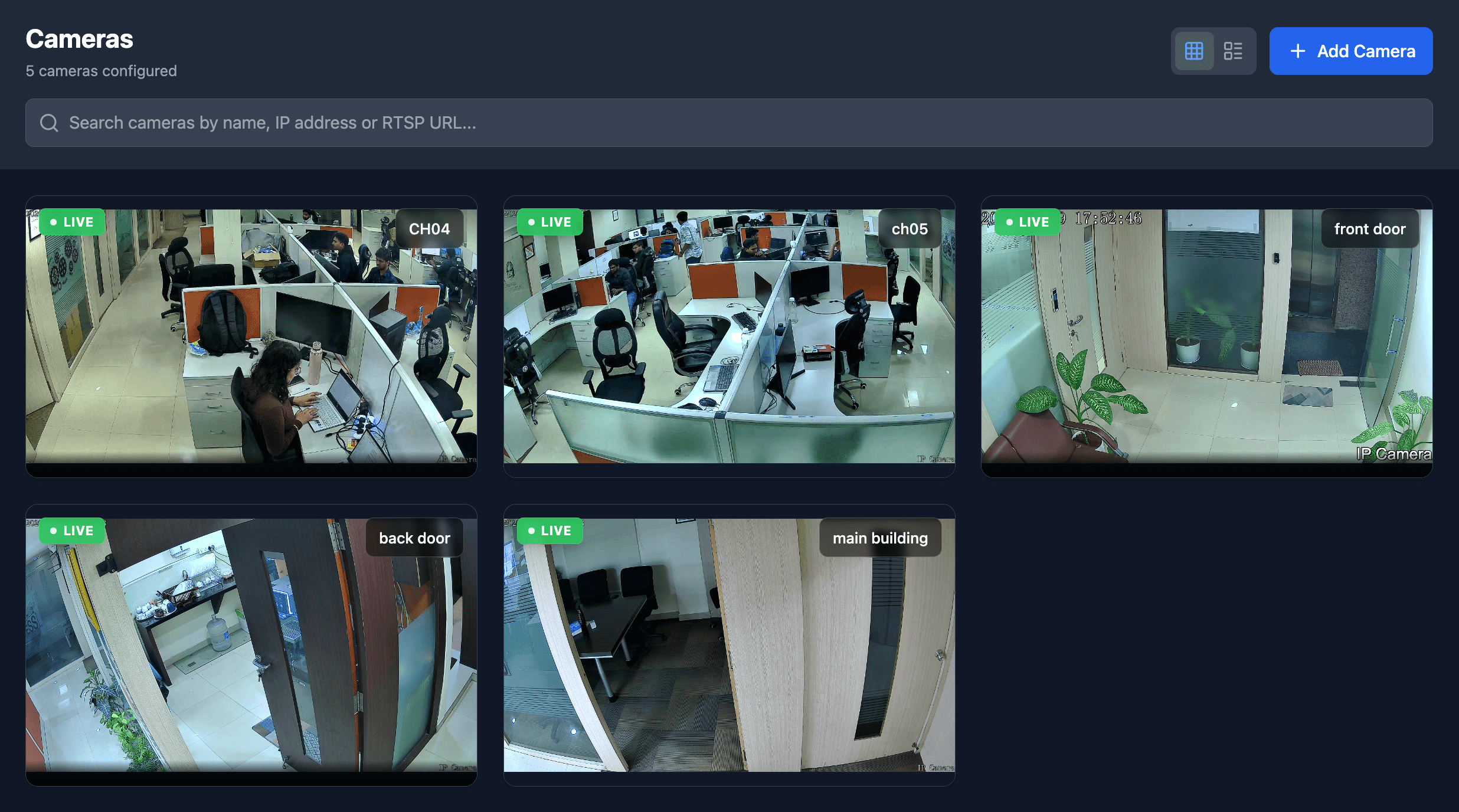
Camera Management
Discover and connect cameras via network scan, RTSP, NVR, or YouTube Live feeds. Manage multiple cameras from a single interface.
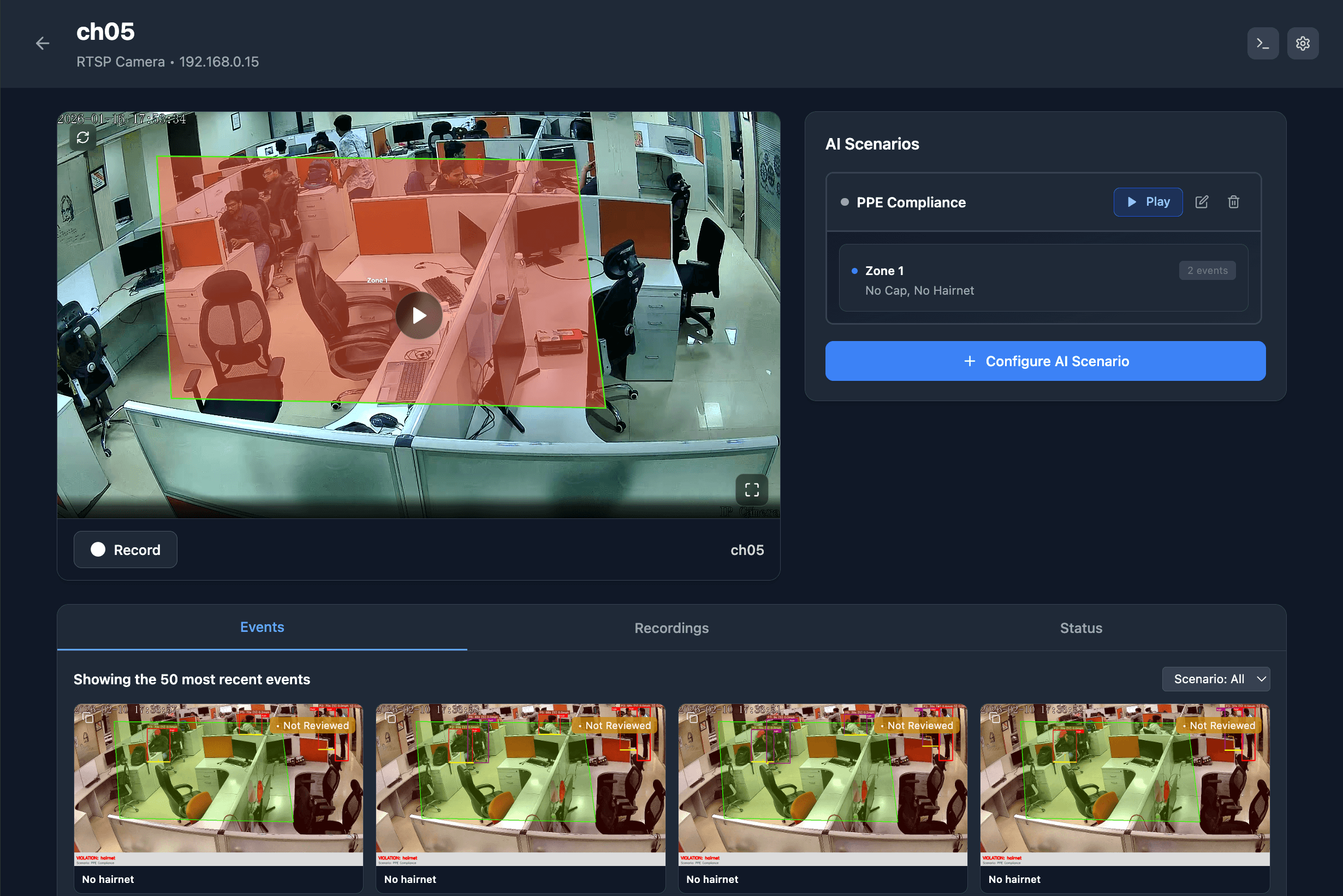
AI Zone Configuration
Draw zones and assign PPE rules per area. Configure different safety requirements for high-risk and low-risk zones.
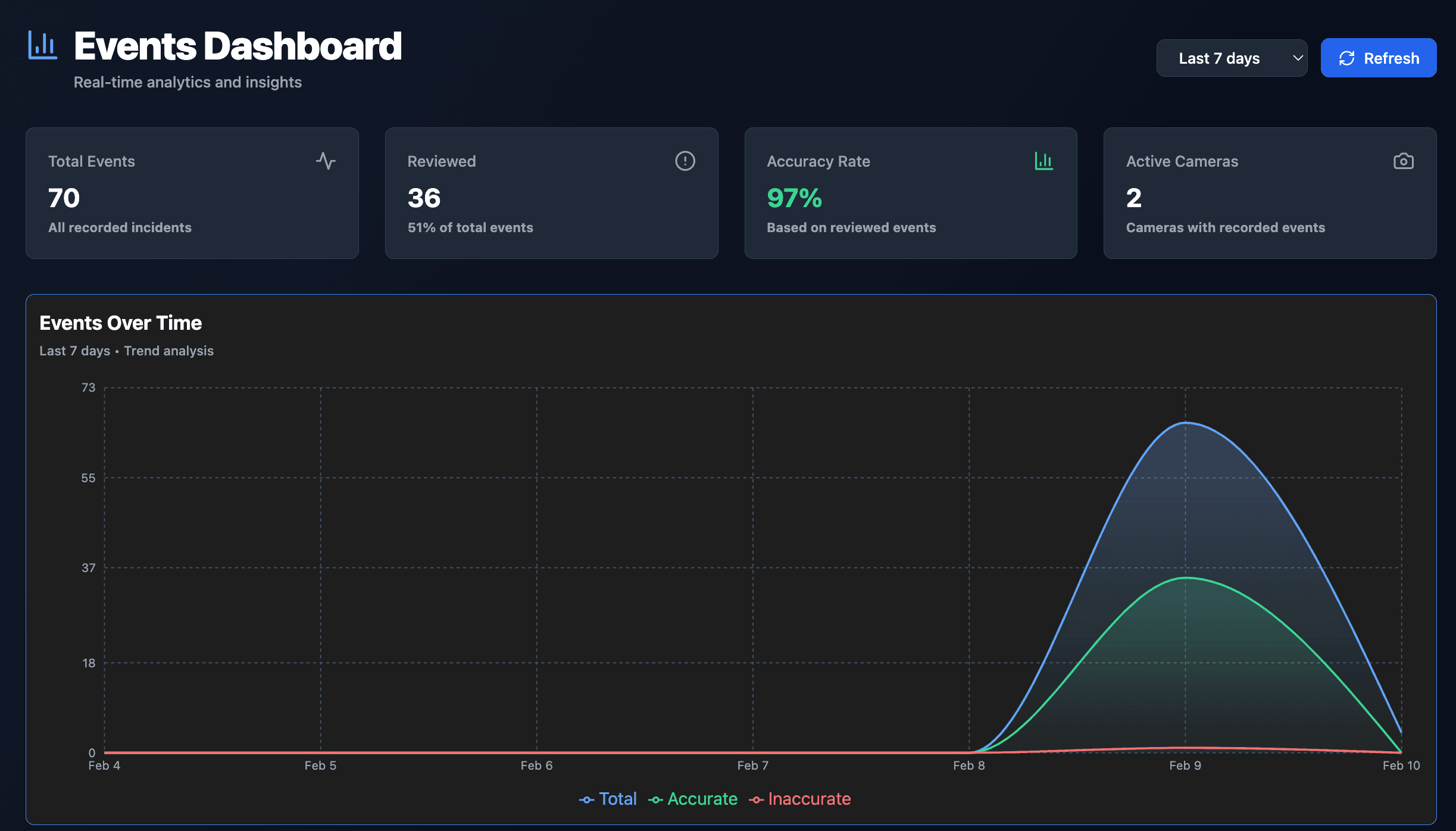
Live Monitoring
Real-time detection console with live bounding boxes, event cues, and status indicators for immediate response.
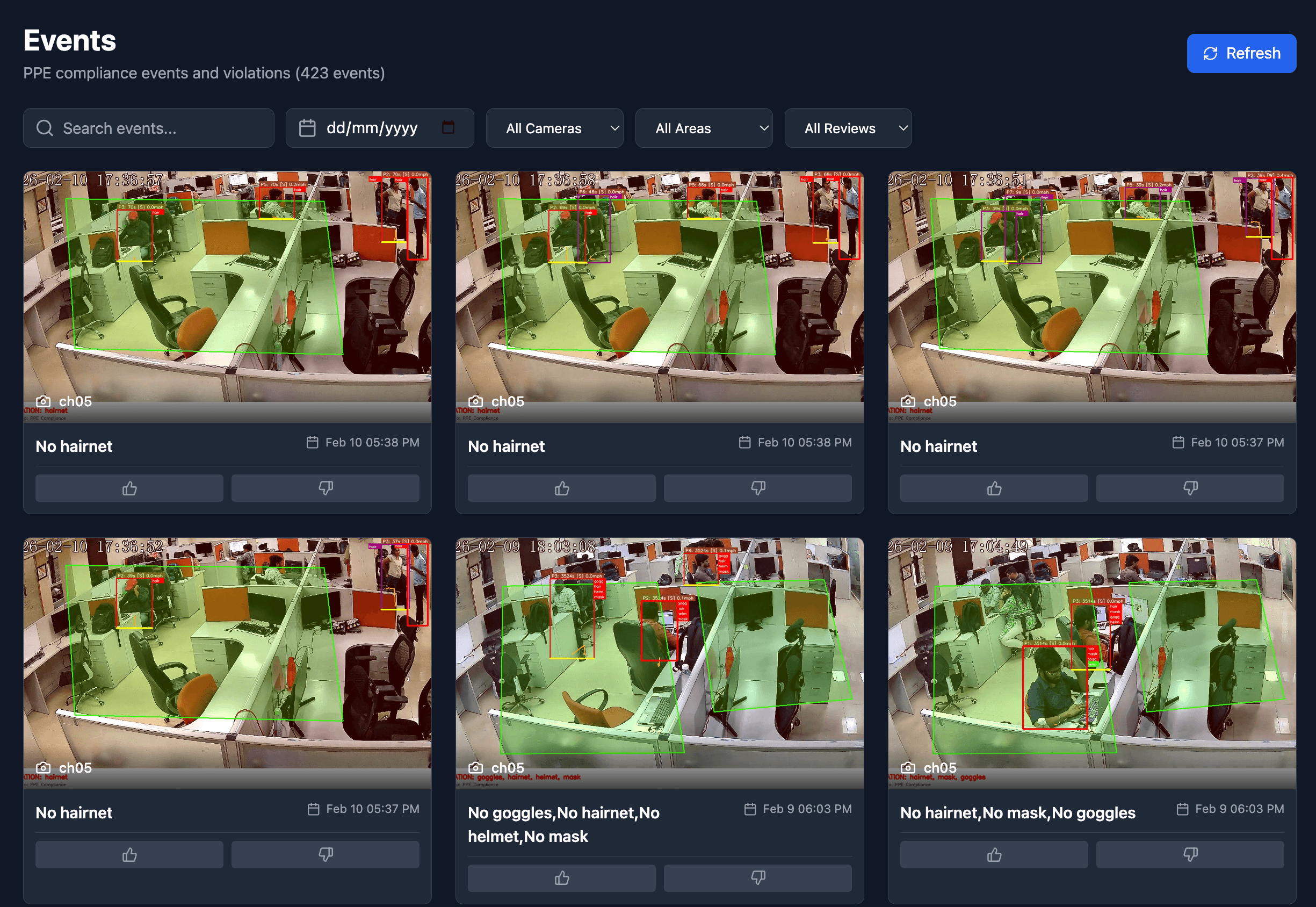
Event Review
Review and filter events by camera, zone, and type. Provide feedback to improve accuracy over time.
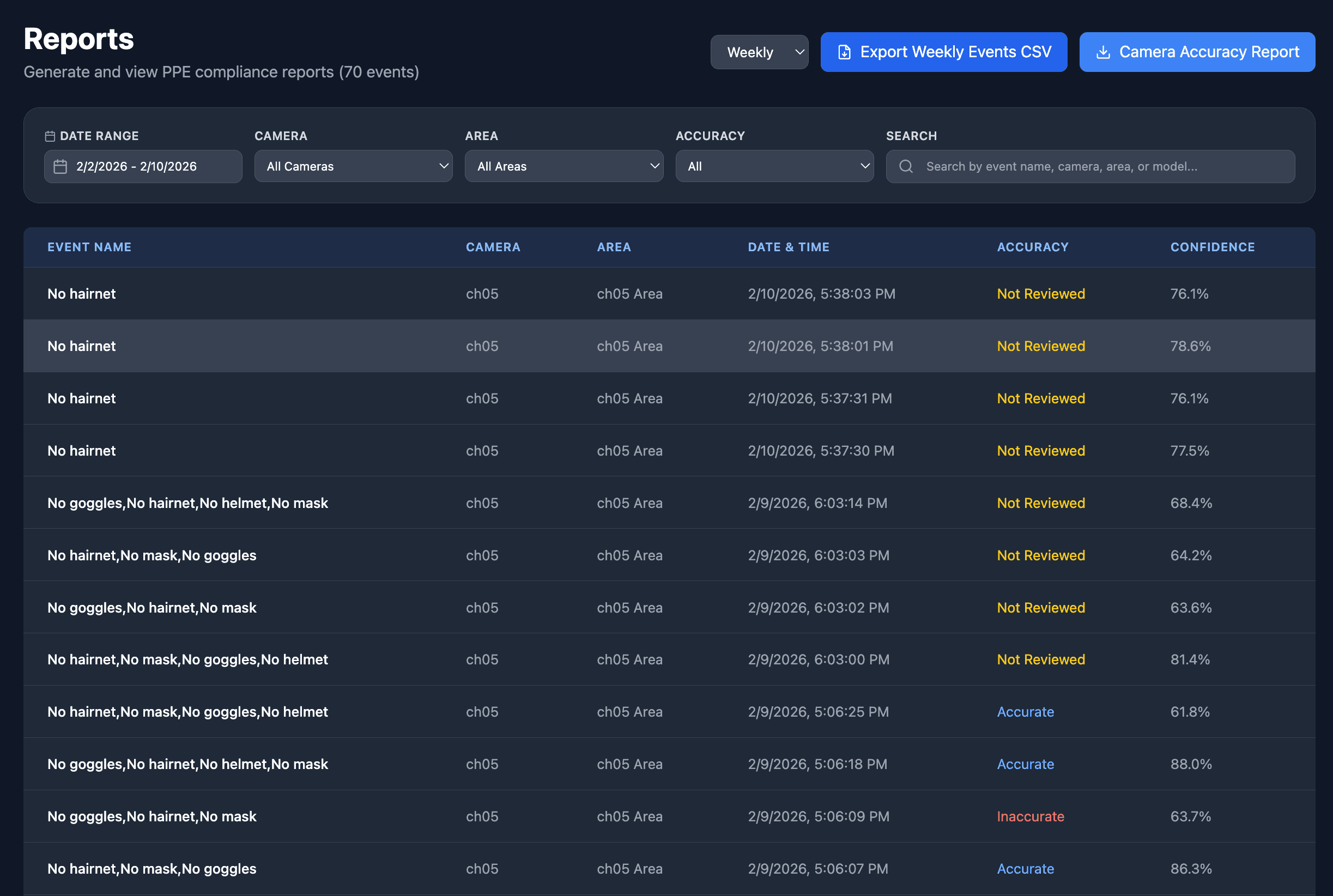
Reports & Analytics
Generate audit-ready PDF reports and CSV exports. Track trends by camera and zone for compliance reviews.
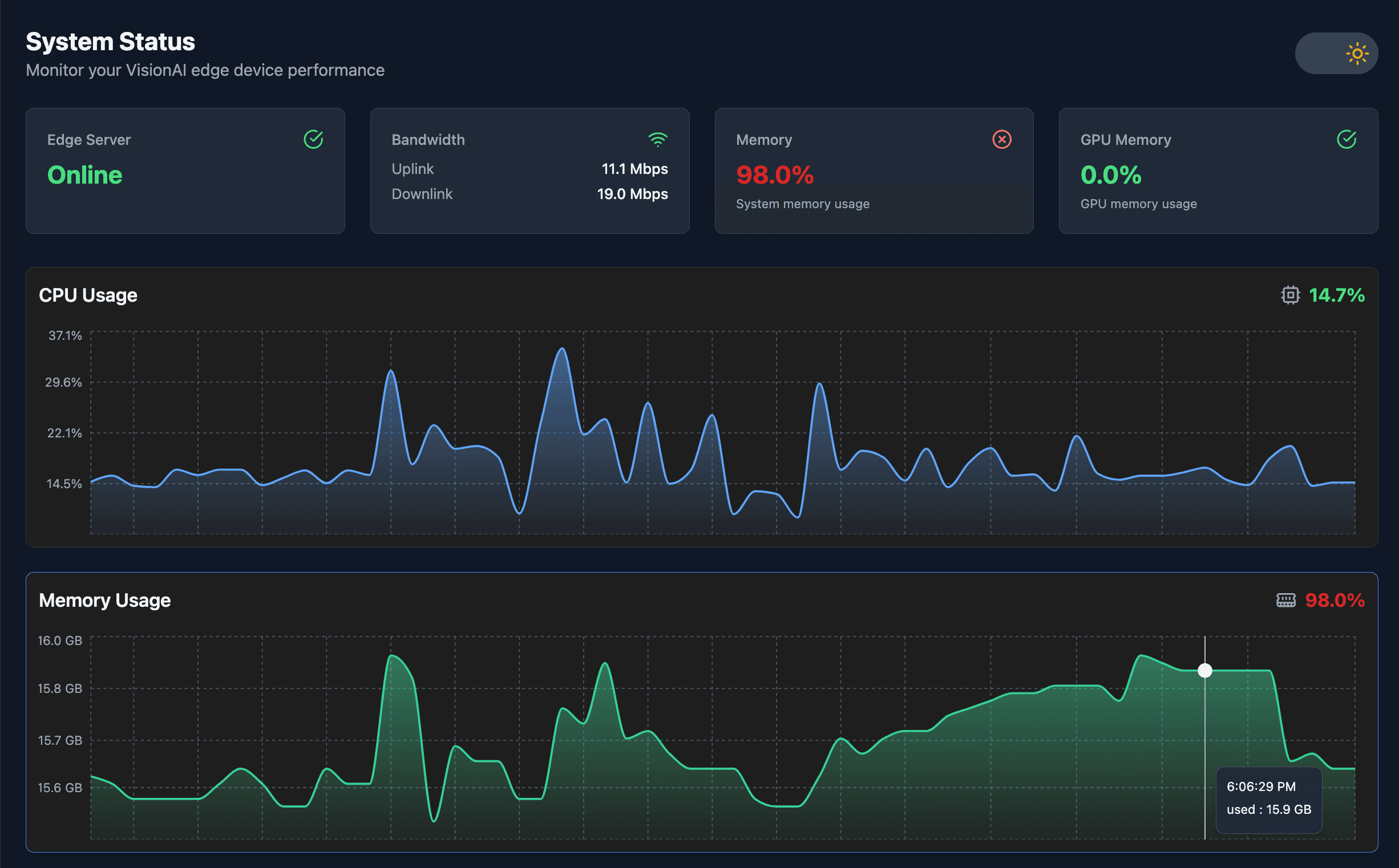
System Status
Monitor system health, camera connectivity, and detection accuracy. Get alerts for system issues.
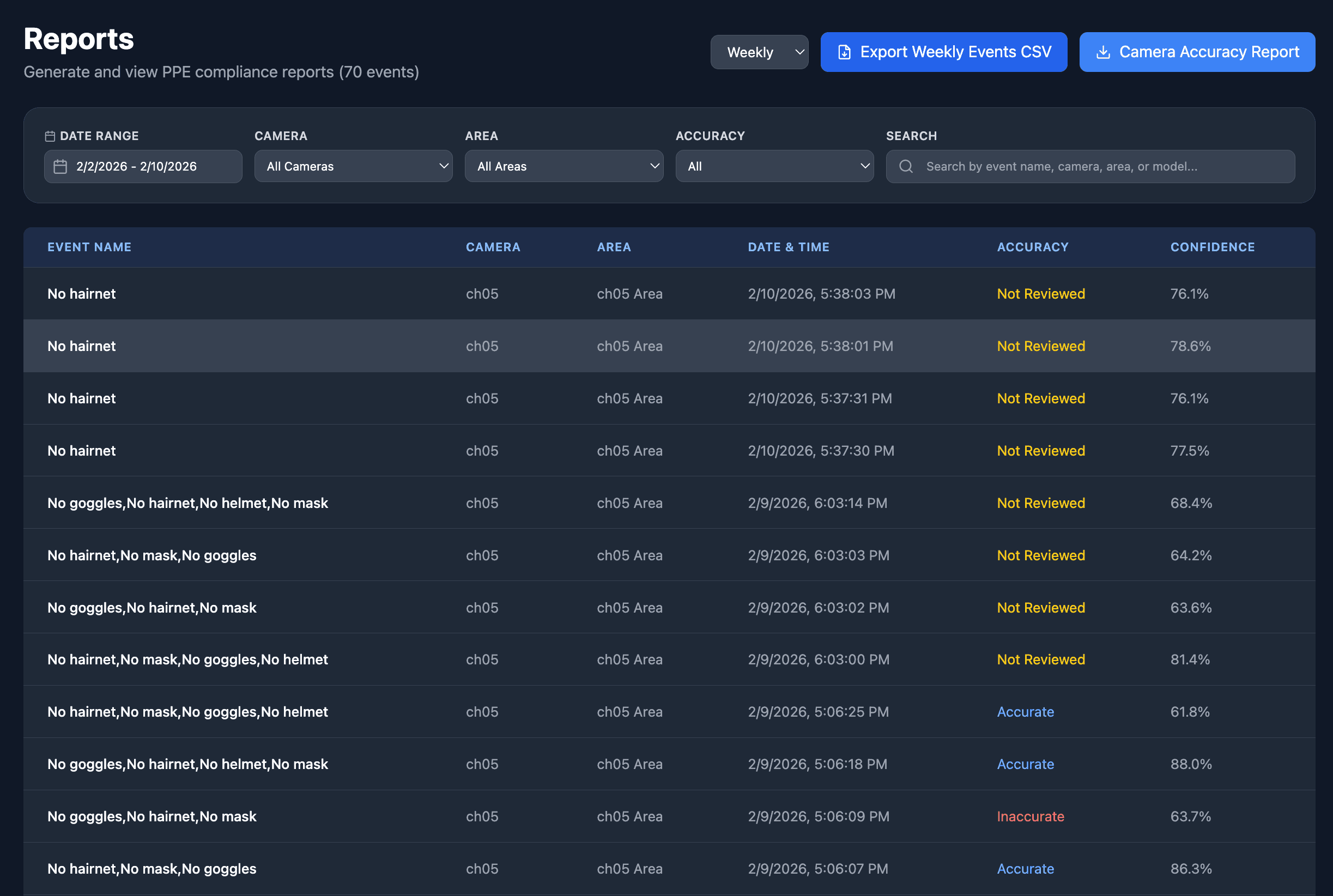
Notifications
Real-time alerts and notification logs for PPE violations and system events. Stay informed of critical incidents.
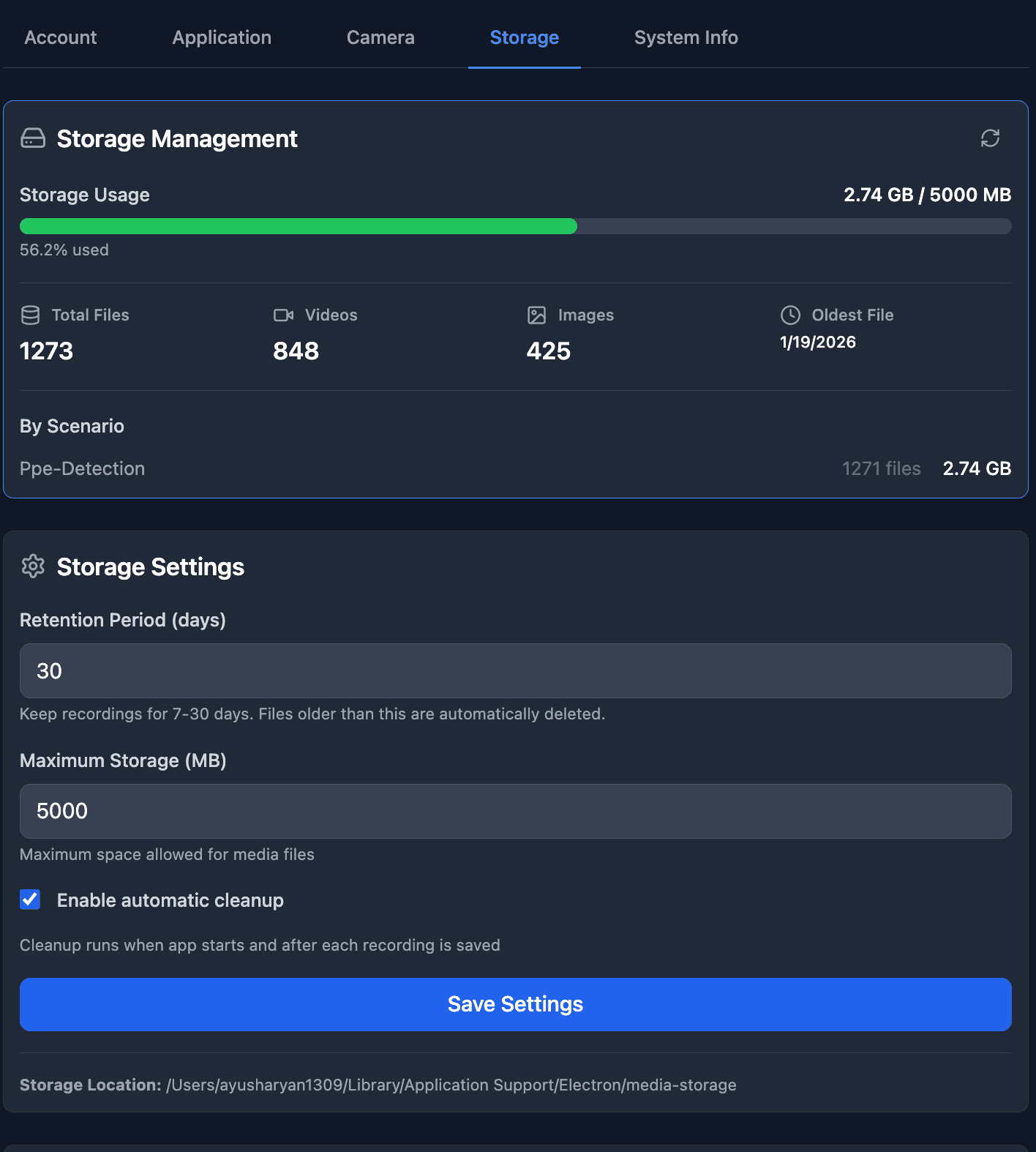
Settings & Configuration
Customize retention policies, export settings, and system preferences. Control data storage and privacy.
A guided workflow from onboarding to reporting
Six steps built for operators. Use the step selector above to navigate through the workflow.
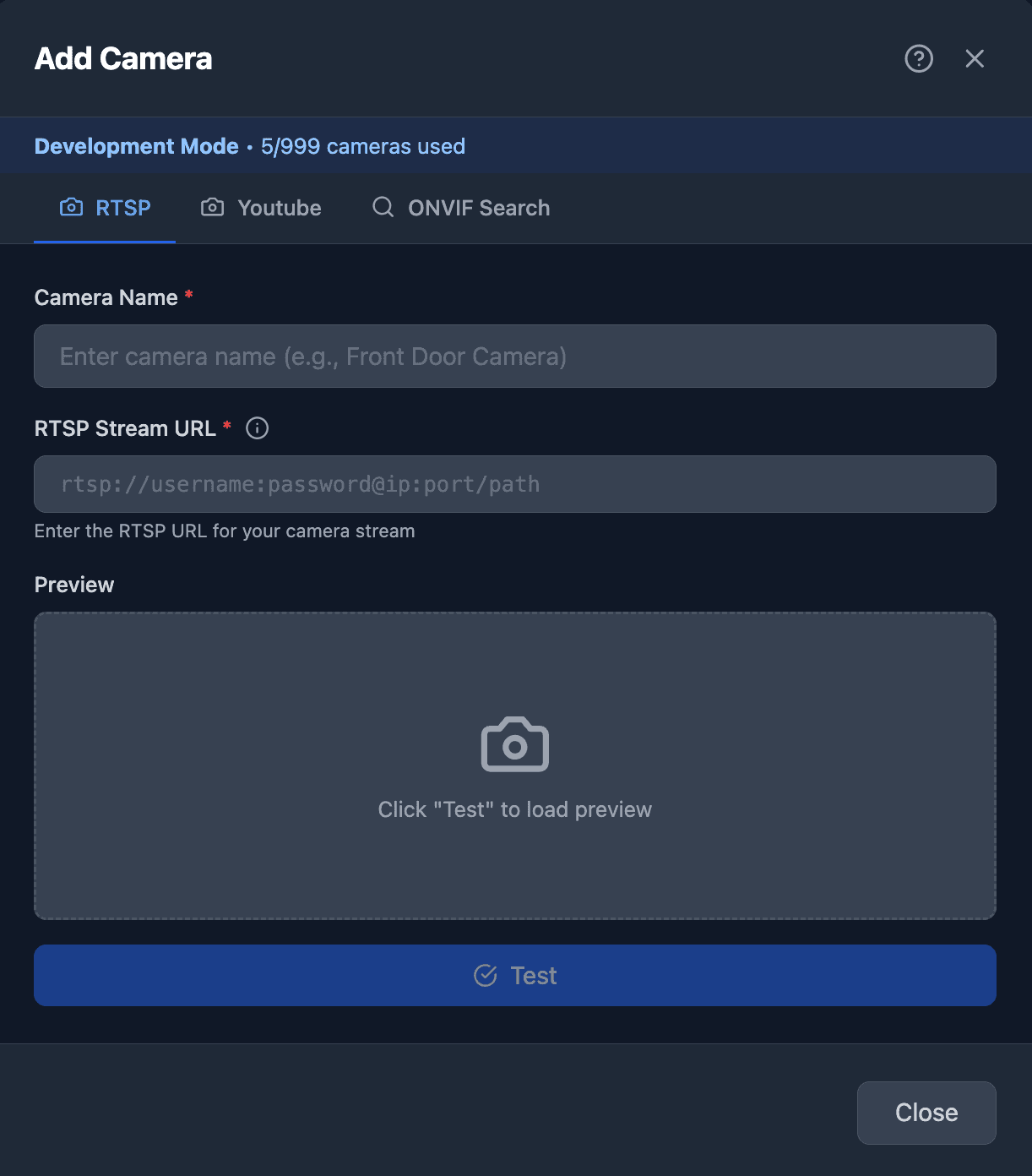
Step 1 / 6 • Add Camera
Use the step numbers above to navigate. The flow stays consistent for every site and operator.
Step 1 • Add Camera
Network scan, RTSP, NVR, or YouTube Live feeds.
Follow the steps in order: onboard cameras, verify streams, configure AI zones, then monitor live, review events, and export reports. The desktop app keeps operators in a single, focused flow.
What you do
Add Camera
What you get
Camera online
Designed for real safety operations
Where teams use PPE Desktop to cut manual effort, standardize compliance, and ship audit-ready reporting.
PPE compliance across complex zones
Run different PPE rules for loading bays, assembly lines, and high-risk areas, all from a single desktop console.
More scenarios
Built for day-to-day operations
PPE compliance across zones
Assign stricter PPE in high-risk zones and general rules elsewhere.
Multi-camera safety monitoring
Connect many cameras and monitor detections in real time.
Audit-ready reporting
Generate daily PDFs and monthly CSVs for compliance reviews.
Security and privacy, edge-first
Run detections, review incidents, and export reports without sending your video to the cloud.
Data Handling
On-device by default
Streams stay on your network. Detections and events are stored locally.
No cloud required
Run, review, and report on-prem.
Local network only
RTSP/NVR stays inside your LAN.
Operator-initiated exports
PDF/CSV only when you choose.
Retention controls
Set storage and retention per site.
Credentials stay in your environment
Used only to connect and discover feeds. Remove anytime.
Customer-owned storage and exports
You control location, retention, and what leaves the device.
Offline-friendly operations
Workflows don’t depend on cloud connectivity.
Frequently Asked Questions
Find answers to common questions about PPE Desktop deployment and operations.
Install the desktop app
macOS and Windows installers. Edge-first workflows that run on-device by default.
DMG installer
macOS
Built for production ops. Quick setup, guided workflow, and audit-ready exports.

EXE installer
Windows
Built for production ops. Quick setup, guided workflow, and audit-ready exports.

Ready to see it live?
Request a demo or explore documentation to evaluate the PPE Desktop App.
Request a Demo
Fill out the form below and our team will get back to you within 24 hours.
Why choose PPE Desktop?
- Deploy in minutes with existing CCTV infrastructure
- No cloud required - edge-first, on-premise deployment
- Zone-level PPE rules for flexible compliance
- Audit-ready PDF/CSV exports built-in
- Multi-camera monitoring from a single console
Trusted by Safety Teams
Used by manufacturing, construction, and industrial facilities to maintain PPE compliance and reduce safety incidents.